Every chord, spelled right.
A chord reference for piano and guitar. Pick a key and a chord, and every view follows: the circle of fifths, the keyboard, the fretboard and the staff.
Coming soon to theApp StoreFor iPhone, iPad and Mac.
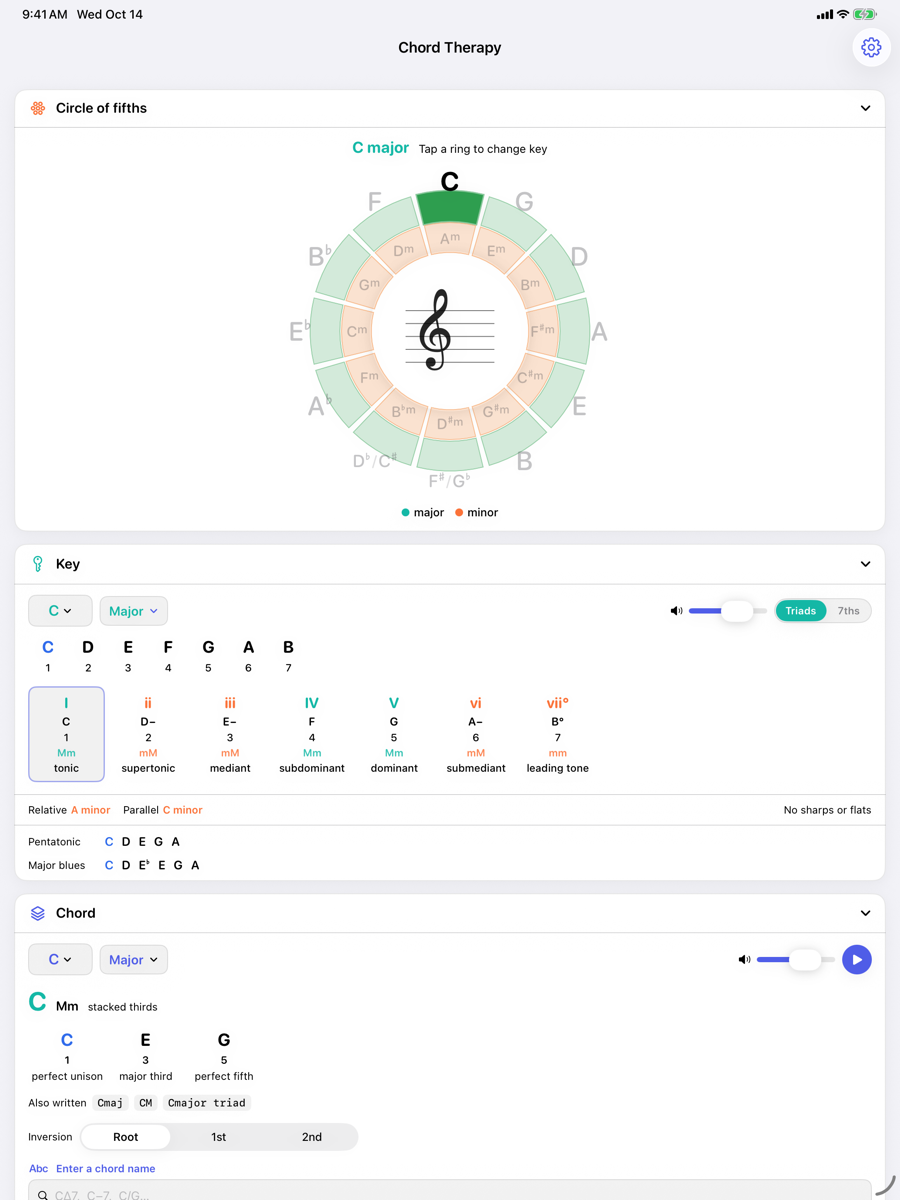
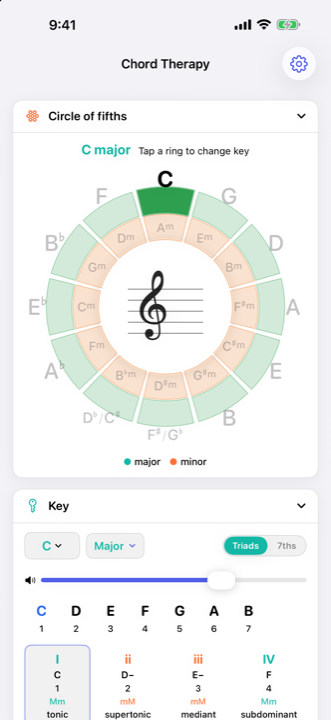
One key, one chord, seven views
Everything on screen reads from the same two choices.
Chord Therapy is a stack of panels. Set the key or the chord anywhere, from the wheel, a card, a typed name or the keys of the piano, and every panel updates at once. Show the ones you use, in the order you want.
A key and a chord
The two selections every panel shares. Change either one and the whole screen follows.
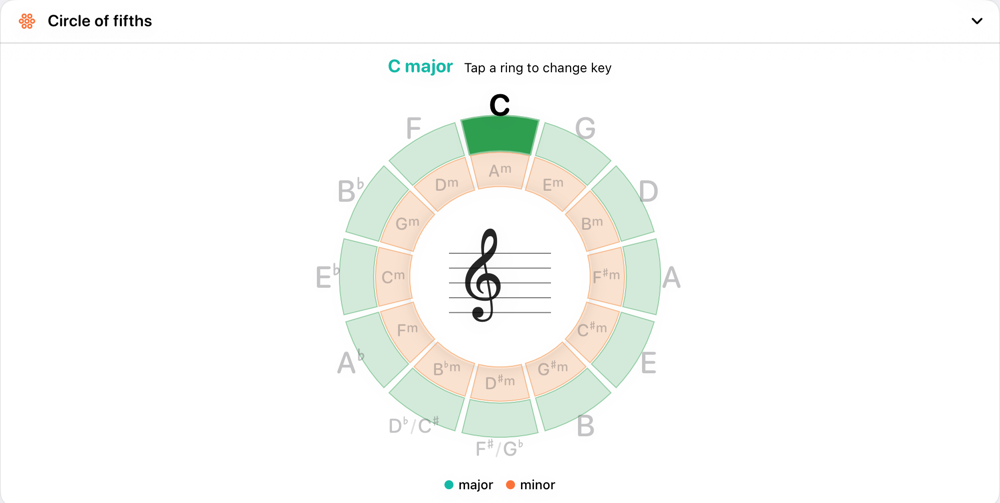
Circle of fifths
Major keys outside, relative minors inside, and the key signature in the middle.
Key
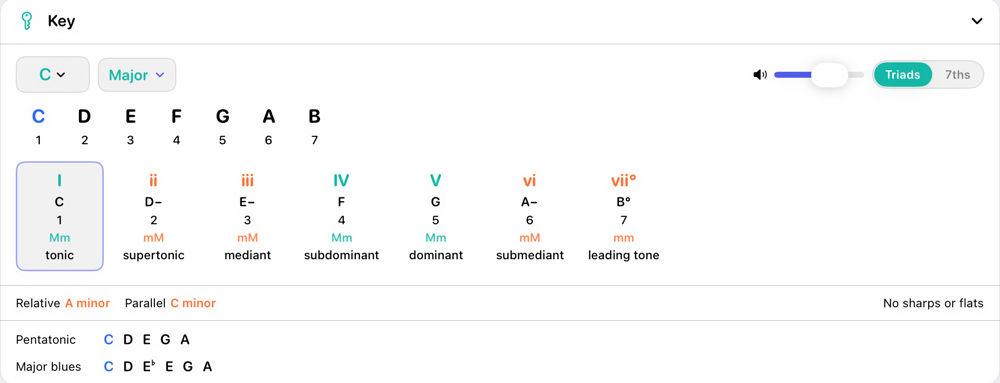
The scale and its seven chords, with numerals, degree names and relatives.
Chord
Names, spells and plays the chord. Type a chord name, or type notes to get one.
Progressions
Saved as scale steps, so changing the key transposes and re-spells them.
Notation
The chord, or the whole progression, written on a grand staff.
Piano
See the chord on the keys, or tap notes and press Identify to name them.
Guitar
Playable fingerings for every chord type, searched on the neck in eight tunings.
Circle of fifths
See where you are.
The keys arranged in fifths, with the one you have chosen lit and its key signature written in the middle. Tap a ring to move to a new key; the chord moves to its tonic with it.
Both spellings are named at the two enharmonic positions, so F♯ and G♭ are each there when you need them.
Key
Seven chords, one tap each.
Major, the three minors and every mode. Each degree gets a card with its numeral, chord, stack of thirds and name, from tonic to leading tone. Switch between triads and sevenths, then jump to the relative or parallel key.
The pentatonic and blues scales on the same tonic sit underneath.
Spelling
Notes are spelled, not numbered.
F♯ and G♭ are different notes in Chord Therapy. Every scale and chord is built letter by letter, so F♯ major ends on E♯, not on a stray F. Type A♭7 in a sharp key and it stays A♭7 everywhere on screen.
Progressions
Write it once, play it in any key.
A progression stores scale steps rather than fixed roots, so changing its key transposes the whole thing and the numerals stay right. Chords from the key change quality with it; a borrowed chord keeps its sound, and a pinned one stays exactly where you put it.
Six starters are included, from I–V–vi–IV to a 12-bar blues. Play any progression on piano or strummed guitar, or write it out on the staff.
Two ways in
Know the name? Or just the notes?
Type a chord name in jazz or plain notation and it is selected. Type the notes you are holding and Chord Therapy names them, reading the first note as the bass, so an inversion comes back as a slash chord.
On the piano, tap the keys and press Identify. 52 chord types, from power chords to thirteenths.
Guitar
Shapes for every chord, in your tuning.
There is no chart behind the Guitar panel. Fingerings are searched on the neck for whatever chord and tuning you choose, with finger numbers, open and muted strings and barres where a hand needs them.
On the piano and the guitar alike, blue is a note in the key and amber is one outside it. A ring marks the root. On the staff, an outsider is written in red.
Every note is a recording of a real instrument: a grand piano and a Spanish classical guitar, in a small room.
Yours, on every device
No account. No ads. Nothing collected.
Chord Therapy runs entirely on your device. Sign in to iCloud and it keeps your iPhone, iPad and Mac in step by itself.
Progressions travel
Write one on the phone and it is on the Mac when you open it.
Settings travel too
Your key, chord, panels and volume follow you, one setting at a time, so a change on one device never undoes a different change on another.
Private by design
Sync goes through your own iCloud account. We never see your data, and the app has no analytics or tracking.
Works offline
Nothing is looked up online. Signed out of iCloud, everything still works on that device.
Chord Therapy
For iPhone, iPad and Mac. A full user guide is on the support page.
Coming soon to theApp Store